Understanding Google Places & Local Search – Developing Knowledge about Local Search

May 25, 2012

A Prime Example of why a Picture is Worth a Thousand Words

Category: Local Search – Mike Blumenthal 8:27 am
Affiliate Website Photo
Current Website Photo (click to read the fine print)
Original Website Photo
Wikipedia Photo

Thanks to Linda Buquet of Catalyst Marketing for additional “research”.

May 24, 2012

Appeals Court Upholds $150K in Punitive Damages for 3 Fake Reviews

Category: Reviews – Mike Blumenthal 3:15 pm

Eric Goldman of te Technology & Marketing Law reports out a recent Missouri Supreme Court ruling that upheld a jury award of $150,00 against an ex-partner that wrote 3 fake reviews on Yahoo & Google about his former business. The ruling should cause competitors leaving fake reviews to take note as it substantially eases the burden on the defamed business to not have to demonstrate direct losses (which is impossible on the interent).

Hosto and Mitchell formed two companies together. Eventually, the relationship soured, and they acrimoniously split their empire. Still grousy, Hosto (pretending to be former customers) posted three fake derogatory Google and Yahoo reviews of the company operated by Mitchell. After a John Doe lawsuit, Yahoo disclosed enough information to identify Hosto as the author, and Hosto confessed to the vendetta. Thus, we have the unusual situation where a pseudonymous review author isn’t contesting authorship. After a trial, the jury ruled in favor of Fireworks Restoration’s (the plaintiff’s) defamation claim.

So far, everything makes sense. But then we get to the remedies, and things get puzzling. The jury awarded $1 in compensatory damages and $150k in punitive damages. On appeal, the court rejects Hosto’s attempts to undermine the jury award: that Mitchell’s company didn’t suffer any reputational harm; that Missouri law doesn’t allow nominal damages; and that the punitive damages were unconstitutionally large in light of the compensatory damages award. As a result, the jury verdict stands.

What to make of this jury verdict? One way to interpret it is that the jury felt that the company suffered no real harm, but Hosto’s behavior was so outrageous it needed to be punished anyway. While the jury’s first conclusion might seem initially counterintuitive, it’s entirely possible that the company suffered no actual harm from the negative fake reviews. Research indicates that a few negative reviews mixed into an otherwise all-positive review set lifts sales conversion because the negative reviews increase the credibility of the positive reviews and help prospective consumers visualize and assess the possible bad outcomes from their wrong choices. Without more detail, for all we know, Hosto could have done his target a favor.

Yet, the judge refuses to put the burden on the plaintiff to find actual lost customers:

We reject Defendant’s contention that Plaintiff needed to produce testimony from potential customers who opted to turn elsewhere due to the web reviews. With the internet, consumers are able to compare businesses and their wares with unprecedented speed. Interpersonal contact is characteristically absent, so if a consumer declines to engage a business it encounters on the internet, that consumer continues his or her search and the business has no knowledge it has been passed by. As such, it would be unreasonably burdensome to impose upon a business plaintiff the requirement that it locate potential customers that it never knew in order to successfully demonstrate actual damage to its reputation. The deleterious impact of such a constraint far outweighs any benefits it would have in proving reputational harm.

In the end, the lesson from this case is obvious and hardly novel: fake competitive reviews are a bad idea. The jury verdict here shows that the jury will punish anyone caught red-handed. At the same time, the jury was quite savvy about the compensatory damages from fake negative reviews. I hope future judges will be equally savvy.

Google Places Updates Guidelines Updates on PO Box Policy

Category: Google Places (Maps & Local) – Mike Blumenthal 8:16 am

Google has announced in the forums that they will update the Guideline to explicitly ban the use of PO Boxes in both line 1 and 2 of the address fields.

P.O. Boxes (and their UPS equivalent) have long been banned by Google for their use in the primary street address line of a listing. This came about due to the widespread abuses in the locksmith industry a number of years ago.

However, there are many businesses in rural America that can not receive mail at their primary location and Google has allowed the use of PO Boxes in the line two address field to accommodate them. Unfortunately this was open to abuse by spammers as well (I demonstrated how this hacked worked in late 2010 with the creation of Illusory Laptop Repair).

Early on in the evolution of Google Local, Google actually encouraged the use of PO Boxes by businesses that did not have a physical local presence. However their use quickly got out of hand.

Google first added the prohibition on the use of PO Boxes in 2009 after widespread abuses of the feature to create additional locations. In late 2010, after the November 2010 guideline update, they actively began removing rejecting listings that had PO Box in their first address line. Subsequently they added a nanny bot filter in the Places Dashboard that prevented the use of the words PO Box when creating a new Places listing that gave a Term Not Allowed error if the term were used.

In February of this year, Google went through several rewrites of the Guidelines to require that internal mail stops and office suites be placed in line 2 and this practice was reinforced by Google Places Community Manager Vanessa in her video summary last week.

The announcement in the forums that they will update the Guideline seems to have preceded the actual change to the Guidelines.

Here is the evolution of the guideline from 2009 till today with the changes highlighted:

11/2009
Guideline
11/17/2010
Guideline
02/08/2012
Guideline
02/10/2012
Guideline
05/24/2012
Guideline
Do not create listings at locations where the business does not physically exist. PO Boxes do not count as physical locations. Do not create listings at locations where the business does not physically exist. P.O. Boxes are not considered accurate physical locations. Listings submitted with P.O. Box addresses will be removed. Do not create a listing or place your pin marker at a location where the business does not physically exist. P.O. Boxes are not considered accurate physical locations. If you operate from a location but receive mail at a P.O. Box there, please list your physical address in Address Line 1, and put your P.O. Box information in Address Line 2. Do not create a listing or place your pin marker at a location where the business does not physically exist. P.O. Boxes are not considered accurate physical locations. If you operate from a location but receive mail at a mail box there, please list your physical address in Address Line 1, and put your mail box or suite number in Address Line 2. (No change in wording, just a change in enforcement)

Google will be emailing all businesses that still have PO Boxes in their Places listing and asking them to remove the PO Box information. If the change requires reverification by post card Google is asking that the business request assistance via the following Google Help Troubleshooter path:

Select: I tried PIN verification for a single listing ? Yes, the listing already appears owner-verified

Are you setting up a brand new Places listing?

Try creating and verifying the listing using your physical location. If you don’t meet customers at your address, make sure you hide your business location. Places may give you the option to verify by phone.

If you cannot verify using the available options, you’ll need to request a manual verification using this troubleshooter path:

Select: I tried PIN verification for a single listing ? No, I am attempting to verify my listing –> The status is not Needs Action –> Postcard –> Yes

Once you submit a request via the contact form, please give the Google Places support team up to a week to get back in touch with you via e-mail.

Note: Users with a “P.O. Box” in Address Line 1 or 2 should have received an e-mail by now explaining this policy change and next steps (via the e-mail associated with your Places account).

May 21, 2012

Positive Only Review Services Come Under Scrutiny in Main Stream Media

Category: Reviews – Mike Blumenthal 11:37 am

Bruce from Aim Marketing in Denver pointed out an article and an investigative news report that highlights a positive review only service posting positive reviews on behalf of their client’s customers . Essentially the Denver based service surveyed the clients post sale for a number of Denver businesses and posted 4 star and higher reviews to Google. The story covers the legality of the process very superficially and doesn’t note at all that the practice violates Google’s TOC. They did note that the businesses subscribing to the service were not aware that negative reviews were not being posted (I am not sure I believe that).

The story does not cover any new territory but it is interesting in that the problem of positive only review services and fake reviews from online marketplaces has risen to the level of visibility that it is being covered by the investigative news world of local television.

May 17, 2012

Basic Places Practices Update: How do you claim an owner-verified listing?

Category: Google Places (Maps & Local) – Mike Blumenthal 8:14 am

A common issue that arises in the forums is the business owner that is unable to change or enhance their listing because they no longer have access to the account that it is in, perhaps because they lost the password , the employee that had claimed the listing is no longer employed or they had a falling out with their SEO company.

It is possible to reclaim the listing and last year I provided instructions on how to do so. The instructions are accurate as far as they went but there are often complications with a listing claimed into multiple accounts. For example the Place page might display unwanted photos or categories from the previous Places Dashboard. Worse might the fact the even though you had claimed the listing, you would still not be able to comment on reviews as the system thought that the other claimant was domininant.

With Google now offering additional customer service it is possible to solve some of the quirks and issues that arise with the reclaiming process.

Here are the updated steps:

1) Go to the Places dashboard/locations page of the new account and select Add another business.

2) Enter the phone number for the existing claimed listing, select “find business information” and go through the process of editing the listing that Google displays.

3) Change as little as possible initially and be sure to keep name, address and phone number the same.

4) Google will require you to reverify but you will be the dominant controller of the listing. As the last to claim the listing most of your data will be given preference.

5) It is preferable to claim it with an email at your business domain so if there is a dispute in the future, you will be recognized as the authoritative listing holder.

Suggested Additional Steps:

6) Get in touch with Google Places support using this form:

Select: Someone else has verified the listing.

This will have the previous claimant removed and prevent the listing being reaccessed from this account. This will guarantee that the new claimant will be the account that is able to respond to review. It will also prevent the other account holder from making changes to the listing. 

If there are still unwanted photos or categories still in the listing (from the old claim) communicate back to the Google support person that helped originally via the same case number and ask them to remove them.

Google support still has a long way to go but it has made progress and at least now common problems like this can be addressed.

May 16, 2012

Google and Your Business Wrapup – May 15, 2012

Category: Google Places (Maps & Local) – Mike Blumenthal 9:29 am

Vanessa Schneider, the Community Manager for the Google Places Forum, has taken the initiative to record a video series summarizing key points that have arisen in the Google Places forums during the previous week.

(Note to Google management if you are reading this: GIVE THAT WOMAN A RAISE! She is the best thing to happen to Places since… well…since the introduction of Places.)


Key Takeaways:
-The “We currently do not support this location” bug that erroneously affected a number of listing has been squashed (see this post for details)
-Google rolled out a new Offers and Bulk Upload tools
-The Places Dashboard once again supports the use of a URL (in addition to direct upload) for showing photos
-The bug that caused some Places videos to not show has been fixed
-If you are using a suite number it should be in line 2 of the street address field

May 15, 2012

29Prime – Would you Buy a Used Car From These Guys Let Alone SEO?

Category: Google Places (Maps & Local),Local Search – Mike Blumenthal 6:00 am

This is a cautionary tale to 29Prime’s remaining 8000 clients. If this company abuses their own Google Places listing imagine what they might be doing in your name.

Let me be upfront with my bias.. 29Prime is not one of my favorite companies. And I have in the past commented on their abuse of Google Place’s reviews to hide the reality of who they really are. But reader Dave Middleton pointed out that in addition to abusing Google Places’s review policy they are also abusing the Google Places Guidelines as well by adding a tagline to their business name in their Places listing:

Their claim of having served 20,000 clients, while an abuse of Google’s guideline against tag lines in the business name, is an interesting one. Linda Buquet pointed out one of their recent PR releases where they claim to have a current client base of more than 8,000 small business owners. The article notes that they were founded in 2010 (although their website notes a start date of 2007 and the domain was claimed in 2008).

If we take their most recent word at face value (Tough I know but..) and assume (for the sake of simple calculation) a May 2010 founding we can get a sense of their churn. They have lost 6000 customers a year. It would appear that they have lost 1.5 clients for each one still claimed to  be under contract.

Still curious I wanted to see who actually owned the building that they show on their website as their presumed location so I typed their address into Google Maps to look at the Streetview of their location.

OOOPS. Turns out they violated another Places guideline and claimed their listing at the local UPS Store. The address, 2233 West Balboa Blvd # 115, Newport Beach, is the same one used in their Whois record and their website. This was no accident.

Still not convinced about 29Prime’s ethical behaviors? The image of their HQ on their website appeared to have been photoshopped so I dropped it into Google image search to see what I found.

Surprise! They seemed to be “occupying” the Unisys offices at 9701 Jeronimo RD Irvine, Ca. They may in fact be at that location occupying some space but the building most definitely isn’t labeled as 29Prime and they are but a renter. Hmm, stranger and stranger.

To any client of 29Prime: If these folks can’t get their own marketing story straight, how can you expect that they will get yours straight? They are obviously violating Google Places guidelines, run the risk of being suspended, are gathering fake reviews and are photoshopping images on their website that have one intention, to imply that they are more successful than they really are. Their churn rate is at best disturbing. They are willing to “cut corners” (to say the least) on their own marketing, can you really trust them with yours? Or will your listing end up suspended like theirs is likely to be?

Just for the record here is the image from the website and an unretouched image of the same location reflecting the actual occupant. It appears that they didn’t even take the time to take an original photograph and just used the one from the Wikipedia article on Unisys. They did appear to have adjusted the colors.

How many corners can one company cut?
(more…)

May 14, 2012

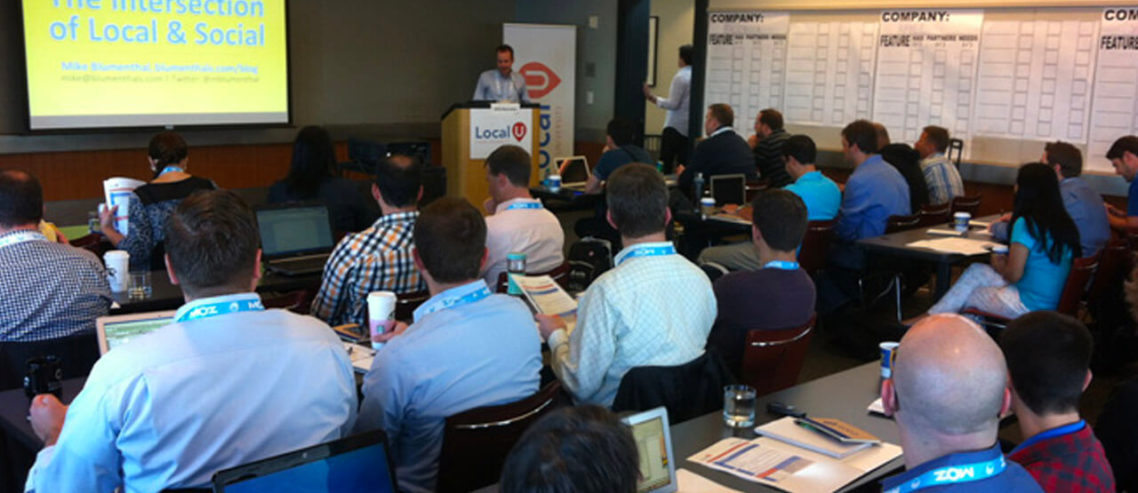
Upcoming Getlisted Local University in Syracuse

Category: Google Places (Maps & Local) – Mike Blumenthal 4:15 am

Would love to see you at our next Getlisted Local University!

May 22 - Local University: Syracuse will take place on May 22, 2012 from 8am – 12pm OR 1pm – 5pm at Driver’s Village in Cicero. Your choice of identical 4 hours sessions. Besides the regular speakers (David Mihm, Mary Bowling, Will Scott and myself) the event also  includes John Carcutt, the Director of SEO for Advance Digital and co-host of SEO 101 on WebmasterRadio.FM, Lauren Hufnal, a Bing Evangelist at Microsoft and Joel Headley the manager of Google’s Consumer Operations for Places and . If you have questions for Google about Places, Places support and policies this is your chance to have your questions answered.

Eventbrite - Local University: Syracuse If you come be sure to introduce yourself to me.

Pricing for the Syracuse event is $129 and with the discount code of MB2012 you will get a $30 discount. To register now visit our sign up page or click the button to the right.

May 10, 2012

Minor Change to Review Presentation on the Places Page

Category: Google Places (Maps & Local) – Mike Blumenthal 1:00 pm

Google has changed the date information attached to a review and switched from the actual date created to a rough estimate of when it was created. The actual date is still visible if you click through to the reviewer. The change seems to create a greater visual sense of whether reviews are coming in over time.

Now if they would just fix the problem of losing reviews. I find it amazing that Google is continuing to release new local products without fixing underlying issues like the problems they have keeping track of reviews and their lack of transparency in fighting review spam…

May 9, 2012

Google Places Rolls Out New Offers Program and Interface

Category: Google Offers (Coupons) – Mike Blumenthal 3:46 pm

Google Places is now rolling out a new Offers creation program in the Places Dashboard to accompany the new Google Maps for Android. The product is significantly more robust than the current product and offers a range of creation options. There is an overview and FAQ available the Offers introduction page.

It is now live in my Places Dashboard. Click this image to view a slide show of the creation options:


Features:

When you enter the Offers area of the Dashboard old offers are visible but not editable. It appears that older Offers created in the Dashboard will be maintained until their expiration date but can not be updated.

The Offer design interface is very slick and provides simple choices to create the coupon.

Only photos from Google existing library can be used. This is a limitation of your products fall out of the narrow range they have chosen.

You are allowed to limit the total quantity of offers available, the timeframe they are available and whether a user may re-use the coupon. Interestingly the offer can be limited to only certain days of the week.

The management interface shows how often the offer was saved by users and how often it was redeemed.

New offers are currently only appear on Google Maps for Android, Google Offers and Google Wallet apps. As far as I can tell they are not visible on the desktop and have no presence on the iPhone.

An offer can be easily edited after creation to change the expiration or distribution settings in the original offer.

An interesting note in the How it Works area of the Offers area notes that offer is only free during limited-time trial period. (bold mine)

The Google Offers Help files have been updated to reflect the new product.

Limits to the new product:

This product is significantly more robust than the current product. But it does not appear to be available for display in desktop search and the fact that there is no iPhone version limits its use. What Google’s plans are in either area are unclear at the moment.

Also unclear is whether it will remain free in some capacity and when it does move to a paid model how it will be priced. The FQ notes: Currently, you can create offers from within your Google Places account at no cost during this limited time trial period. You will be notified about pricing details before the trial period concludes.

Offers (aka Coupons) have a long and sorry history in the panoply of Google local products. They were introduced to great fanfare in 2008 and then left to whither with little support and less ability to display them. Over the past year Google has been cleaning up inappropriate Offers but they have never made them more visible. This is only a partial step in that direction.

Given their limited availability on the Android product it would appear that Google is moving them away from the desktop and primarily focusing on their use in the mobile environment. Obviously they would be more valuable if they could be crossed marketed from the main search results and available on all mobile platforms. Hopefully that is in the cards.

Given the recent noise about Facebook reintroducing/testing their Offer product, one has to wonder about Google’s timing of this release and whether they will emulate the idea of making the coupon more visible with payment.

The Future:

When used in a mobile environment and tied to the new patents that Google acquired for indoor location via Wifi one can easily envision a coupon system that could could offer a given coupon when in close proximity to a participating vendor AND close the loop on the sale (with or without the use of electronic payments). Obviously the potential for relevant delivery and knowledge about when the sale is closed opens up a range of revenue analytic possibilities for Google.

On a more short term note we are seeing the Places Dashboard slowly but surely getting a face lift to come under the new integrated Google UI. First the Adwords Express UI update and now Offers. It is clear that the Places Dashboard (and hopefully Places Analytics) are soon slated for updates as well.