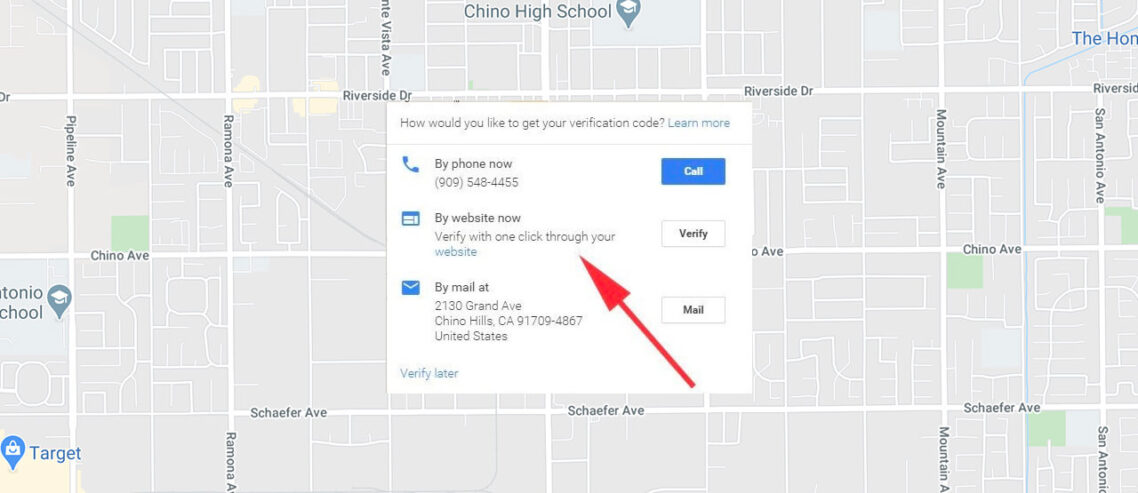
There was a recent change that displays the label ‘Place Closed’ on some businesses. If the label has been applied incorrectly, it can be corrected with just a few steps.
Maps Guide Adam
March 7, 2009How to Fix “Place Closed” in Google MapsA number of businesses in the Maps Help forums have reported Placed Closed labels being placed on their business listings. This issue was highlighted recently on SearchEngineLand and SEO Roundtable. It appears that the increase in Place Closed labeling was due to a change on Google’s end and not nefarious community edits. The designation was showing up on both claimed and unclaimed listings. Google Employee Joel has, once again, been providing information and repair strategies in the Forums (Give this man a raise!) Google Maps Guide Adam has posted an announcement with steps to resolve the dreaded message:
These types of events highlight the power and pain that is Google Maps. Google tweaks a bit of code, hundreds if not thousands of small business owners are impacted. Some notice and how many do not? I don’t doubt that the messages will continue to come into Maps Forum well into the future. Google has, at least, put someone in the forums to answer the question and has offered up a fix. They have also highlighted the fix in the announcement area where it will have prominent display. Those are good things and demonstrate a positive direction in real customer support. But Google’ solution puts the burden back onto the business to fix the error, an error that the business owner had no part in creating and one that affects their income. One can only hope that the overall general improvement in the index from this action was positive and that the number of affected open businesses was small. 17 Comments »RSS feed for comments on this post. | TrackBack URI Leave a comment |
Upcoming LocalU for SMBsArchivesCategories
General SearchLocal Search |
Mike,
I also applaud Joel’s and Adam’s efforts to clear this up. But how in the world is a business owner expected to find them in the forums? This is the kind of thing that needs a link on the front page of Google.com, or at least Google Maps.
‘Has your business been incorrectly marked as closed in Google Maps? Click here to fix it.’
The tone of this post makes me think you have changed your opinion on community edits…?
Comment by David Mihm (168 comments) — March 7, 2009 @ 10:54 am
@David
In this particular case it just happens (apparently) to not be due to community edits. So I am not so much defending community edits as pointing out that a changed bit caused the problem. I noted this because the SearchEngineland article and SEORoundtable seemed to be of the opinion that it was due to community edits. I think we need to know what we are battling.
Google has stated that community edits are here to stay….THEY think they are great. I don’t believe that Google and the greater industry can ever solve the underlying factual issues with opinions. At some point there needs to be a standard reference point that can be verified or this whole thing will go to hell in a hand basket. There needs to be adult supervision.
So no, I am not changing my opinion about how Google handles community edits. Can i conceive of way that they could compliment a verified system? Yes but not the way that Google is doing it.
That being said it does seem that Google has ameliorated some of the most negative aspects of community edits but I am not sure it goes anywhere near far enough. Nor do I have enough knowledge to comment with authority.
I also agree with you that the message should be more prominently displayed…my kudos to Google were to acknowledge and positively reward their steps (even if baby steps) toward customer service. It is in such stark contrast that even this little bit seems like a lot.
Mike
Comment by Mike (2500 comments) — March 7, 2009 @ 11:14 am
I have noticed a number of places that REALLY are closed that stay in the results even though reported. What about those?
Comment by panzermike (225 comments) — March 7, 2009 @ 11:23 am
@PanzerM
Are they marked as closed? Are they open to community edit so they can be marked as closed?
Mike
Comment by Mike (2500 comments) — March 7, 2009 @ 11:47 am
“Google’ solution puts the burden back onto the business to fix the error”
I noticed that too…
Well, I appreciate the information about how to fix this, but what a mess.
Here is a hotel that burned down 3 or 4 years ago, sitting in the A position in Maps for a search for ‘lodgings inverness ca”
http://maps.google.com/maps?f=q&source=s_q&hl=en&geocode=&q=lodgings+inverness+ca&sll=37.0625,-95.677068&sspn=28.943777,56.601563&ie=UTF8&t=h&z=12&view=text&ei=be-ySaTjLJSgjQPF5oDQDA&attrid=
It is open to edit, but the thing is, I believe their restaurant is still open, though the hotel burned down. I won’t edit it because I’m really not totally sure what the deal is at this place in 2009. Maybe they’ve rebuilt the hotel, but I know the last time I drove by, it was still ashes.
If the hotel is gone, it’s not appropriate that it’s still showing up in a search for lodgings, but this is a complicated situation, because if you removed it, they would lose their listing and their 70 reviews for the restaurant.
This is a listing I check from time to time to see if anything has been done to it.
Miriam
Comment by MiriamEllis (636 comments) — March 7, 2009 @ 6:08 pm
Any chance that this “mistake” could get rid of some of the spam listings? Or do the spammers know a more efficient and automated way to fix it for their spammy businesses?
Comment by Debbie (2 comments) — March 8, 2009 @ 10:46 am
@Debbie
I am not sure I understand you question.
@Miriam
Not sure what I would do with the listing…I suppose no one ishurt by more information rather than less. Changing the categorization via community edit is an option as well.
Mike
Comment by Mike (2500 comments) — March 8, 2009 @ 1:58 pm
@Mike If businesses are incorrectly labeled as Place Closed unless the business itself takes steps to correct it, couldn’t the same thing happen to invalid spam entries? (But that would be a good thing.)
Comment by Debbie (2 comments) — March 8, 2009 @ 4:50 pm
@Mike:
Yes they are open to community edits and marked closed.
Comment by panzermike (225 comments) — March 8, 2009 @ 9:43 pm
I’m having a problem where my school is listed in maps as ‘place closed’, but the address shown is not the actual school address. The real address of the school is also listed separately, but for some reason the ‘place closed’ listing is showing up first for searches on the school’s name, while the real school shows up third in the ‘see more results like this’ area. Also the incorrect address shows up when I search on any keyword where our site appears. I’ve tried to claim the incorrect listing, but I cannot verify it because I can’t receive a postcard at that address (it’s the wrong address).
Any suggestions most appreciated
Comment by Kate (5 comments) — March 10, 2009 @ 2:20 am
@Kate
This relates to the question PanzerMike asked above…
1)How long will “place closed” listings continue to show up if they are in fact closed and your question:
2)Is there a way to remove them or suspend them if you don’t control them?
The answer to 1) is no one except Google knows the answer and they have yet to say. Google has said that obsolete listings will fall out of the index at some point as the signals accumulate that it is closed. But it is possible that the “Place Closed” designation might speed that up…we don’t really know.
The answer to 2) is that if you can’t verify by post card or phone it is very difficult to suspend the bad listing.
In your case, the correct listing is showing in Maps but not on the main results page, right? I can see where the “place closed” designation might leave the wrong impression. Not optimal.
Sooner or later the “place closed” listing will drop from prominence and then from Maps but the timeframe is not clear.
I realize that I have not been much real help at all, I am afraid. That being said, please provide the specifics of the name and place and we will take a closer look.
Comment by Mike (2500 comments) — March 10, 2009 @ 7:09 am
[...] of business owners are frustrated these days. Reason being that their businesses in Google Maps are labeled as closed, while they are still working in a perfect [...]
Pingback by Getting Closed Status Removed From Google Maps - Small Business Update - Small Business Ideas — March 11, 2009 @ 9:32 am
How might we correct something like the situation (http://www.google.com/maps?q=5371+Amboy+Rd+Staten%20Island+NY+10312+USA&sa=X&oi=map&ct=title) in which a construction company has identified itself with the address of a local church rectory, for which church it is apparently doing some work?
The address is actually for the Our Lady Star of the Sea R. C. Church rectory, not ‘Caldwell & Walsh Construction Corporation? by any means.
Comment by Paul Nelson (1 comments) — March 14, 2009 @ 5:13 pm
That record is open to a community edit. So you can change the title of the record to that of the church or change the address to that of the business. Go to this link and select edit in the bubble (you may have to select edit twice) and then you will be presented with the option to either “Edit details” or ”Remove place”. I would choose edit details and have at it.
Comment by Mike (2500 comments) — March 14, 2009 @ 9:23 pm
I was in first page for a long time all the soudin the moved me to page #3,pls what did i do rong
Comment by karim iraqi (4 comments) — August 26, 2009 @ 11:02 am
[...] How to Fix “Place Closed” in Google Maps, Mike Blumenthal [...]
Pingback by aimClear’s 2009 Daily Training Link Library » aimClear Search Marketing Blog — January 1, 2010 @ 6:44 pm
Hey gyes i need some help to optimize google local listing
Comment by karim (3 comments) — May 25, 2010 @ 1:16 am