Update 6/16/08: According to Brett Gilbertson, the new interface is available in Australia and in Canada but according to Martijn Beijk not in Europe as yet. Also of note is that the bulk upload capabilities are not included in the new interface. For a work around for the absent bulk upload, read the comments below.
Google appears to be in the process of a major facelift to the Local Business Center interface. The new interface:
•asks your business name and lists out a choice of countries
•checks against and match the business up to a listing already in Maps at that address,
•requires confirmation that the business is yours
•takes you a new single page entry from with no tabs
•and then onto the PIN verification
The upgrade consolidates the interface and appears to standardize it accross the 24 countries listed. It appears that the upgrade is on-going as not all fields were functional in my test. The verification and matching of your entry with an existing business should limit duplicate erroneous entries and may play a role in spam control.
Another difference was that it now once again requires that I receive and enter a PIN. This requirement had been relaxed on LBC accounts with large numbers of entries. That may also be a spam control measure.
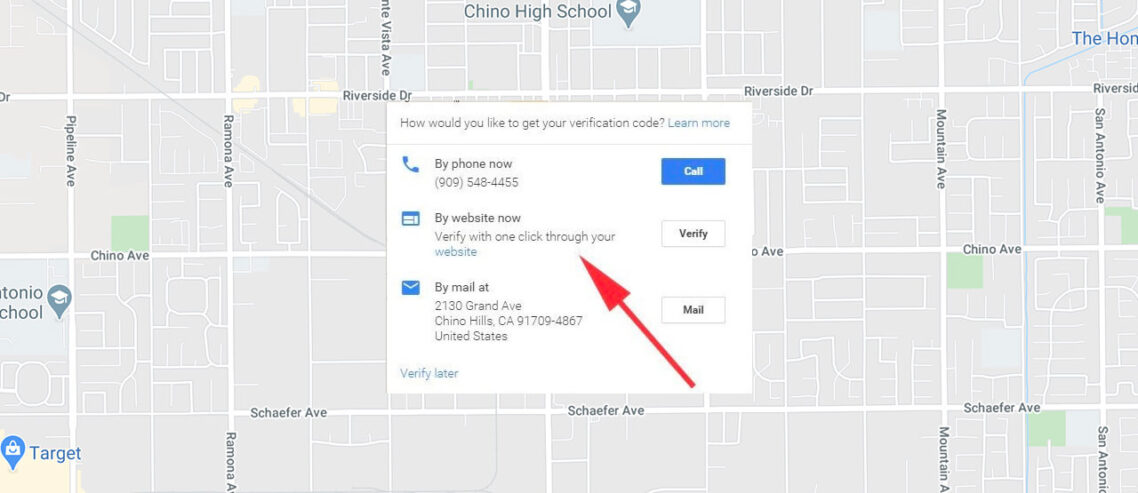
Click to view a pdf of the new data entry screen. Here is a screen shot of the old tabbed interface for reference. Some additional screen shots of the new steps and processes….
Click to view larger, scroll for the balance of images:
- Upon entry in LBC
- Countries Available
- Choice to further edit or delete listing that you claimed
- By claiming this listing you are saying that these two listings refer to the exact same physical location
- Top of single page interface
- Bottom half of screen
- Drop down of previously uploaded images
- Non Tabbed Data Entry Screen
- Original tabbed interface


That sounds like a giant hassle for you. Google should introduce some ‘Verified Local Submitter’ program or something akin to it.
Comment by AhmedF (11 comments) — June 13, 2008 @ 9:15 pm
Hi Ahmed
If it is in fact the case, it will cause professional marketers and agencies a huge problem and as you suggest a ‘Verified Local Submitter’ program would be absolutely critical to any efficiency.
Given that the interface did not appear fully operational I will wait and see what it looks like when it is working properly.
Mike
Comment by Mike Blumenthal (1085 comments) — June 13, 2008 @ 9:33 pm
Thanks for the update. I hope we continue to see improvement in this area. There is certainly a lot of potential with Google Maps Local Business Listings, but as you document on this blog, there is also far too much abuse happening and it will continue to get worse unless Google nips the problems in the bud.
Comment by Jim McNelis (10 comments) — June 14, 2008 @ 1:04 am
no interface change here in Spain, Netherlands and not even in the UK (Google’s European playground ). Also no change in functionality, even when I switched to .com and read the instructions for NL and ES they were still talking about old category system etc.
I wonder what will happen. And what Google encourages people to do? register their business with local google engines or use the .com (which is errr, more advanced/ease of use? ). Still the photo upload feature takes me back to 1997, Whats wrong with a decent upload application?
In my opinion, this interface change is to encourage people to add more details to their local business listings. With a single form format people are probably more likely to enter more information. (in old interface, you could just go for finish, instead of going for the next tab) Perhaps some people were not even aware of the extra tabs because of this.
BTW : when did you get the page listed in first screenshot ?
Comment by martijn (77 comments) — June 14, 2008 @ 5:29 am
@Jim – right you are, lots of potential and as you, I am hopeful that it can be reached. This change in interface and verification is a critical first stop in the battle against spam but it is just a first stop…
@Martin thanks for checking in Europe and reminding me that I too could have checked by changing the URL from a .com to .es and leaving the English language modifier (hl=en-US) intact.
I am not sure if you are referring to the primary business name entry screen (first on my “more” page) or the confirmation screen (the first screen in the post).
The business entry screen came up immediately upon the first time back to the LBC even before taking me to the list of businesses. Now that I have returned to the LBC and logged in again it comes up when I select the “+ Add new listing”.
The confirmation of me claiming the listing came up immediately after I selected edit on the “Edit or Suspend” Screen….so the sequence was
1- Primary Business Info with country drop down —>
2- Edit or Suspend Screen with a pop up for the Confirmation Screen —>
3- The single page details entry screen
Mike
Comment by Mike Blumenthal (1085 comments) — June 14, 2008 @ 9:16 am
I meant the confirmation screen, but your sequence layout made it all clear. I’ll keep my eyes out for changes here in Europe!
Comment by martijn (77 comments) — June 15, 2008 @ 6:27 pm
[...] If you’re new here, you may want to subscribe to my RSS feed. Thanks for visiting!Google is changing their Local Business Center interface. For many of you, you will start thinking, YES! finally! Actually I like the new interface and it [...]
Pingback by Pain and hassles new Google Local Business Center : Local Search Optimization - Martijn Beijk — June 16, 2008 @ 7:28 am
[...] Google Local Business Center Mike Blumenthal covers a range of changes being introduced to Google’s Local Business Center. These moves come as Google seeks to make [...]
Pingback by Changes Google Local Business Center « Screenwerk — June 16, 2008 @ 8:50 am
[...] the update to the Local Business Center late last week, it is possible that the error message noting the new need for a category and label [...]
Pingback by Understanding Google Maps & Yahoo Local Search » Google Maps: Coupons not functioning; Upgrade coming? | Developing Knowledge about Local Search — June 16, 2008 @ 10:27 am
Hi – this certainly has a huge impact on doing mass uploads. It’s going to be a mass headache.
Bulk uploads were still available to be done on Thursday & Friday but we did notice a lot off issues trying to work within Google on those days.
And yes I see those changes in Canada. I was trying to do a bulk upload and kept hitting this single entry snag. I really thought I had lost the plot ! I was singing my ” I hate Google Song” ( it keeps me from wanting to send a 4 letter feed back to Google)
Does anyone have any idea if they will be restoring the bulk upload ability? Do they honestly think a CMR or any company with mulitple locations will be doing individual entry?
I think I’m going to be very busy for a very long time. Please send donations to ” Save Joan’s Sanity Foundation” …. aaaaargh.
I’m going to have RSI like nobodies business.
Joan
Comment by Joan van Hilten (102 comments) — June 16, 2008 @ 11:55 am
@Joan, try and switch to a european engine (change the &gl parameter and/or domain to a european one, you can keep the hl in your prefered language ) and see if you are still able to upload using bulk-upload.
let us know!thx
Comment by martijn (77 comments) — June 16, 2008 @ 11:59 am
@martijn – I just changed to &gl=nl and it gives me the option to still use a bulk upload.
Bedankte.
Joan
Comment by Joan van Hilten (102 comments) — June 16, 2008 @ 12:11 pm
[...] recent upgrade to the Local Business Center has appeared in Australia and Canada as well as the US. It still is [...]
Pingback by Understanding Google Maps & Yahoo Local Search » Google Maps Local Business Center Upgrade: Bulk Upload MIA | Developing Knowledge about Local Search — June 16, 2008 @ 12:49 pm
[...] Mike Blumenthal posted a pretty thorough overview of changes to Google Local Business Center. As always Mike is the man if you want to dive into the details of everything GLBC. Share and [...]
Pingback by Google Local Business Center Update — June 16, 2008 @ 1:05 pm
I confirm that it has been updated for New Zealand too. The thing I am finding frustrating though, is that when editing your listing there is no apparent way to change the location marker on the map.
Comment by Peter (5 comments) — June 16, 2008 @ 9:42 pm
Hi Peter-
Thanks for the info about NZ. Yes, it seems that you have but one chance to move the listing, when you first grab it. If you want to refine it later, you don’t seem to be given an opportunity.
Mike
Comment by Mike Blumenthal (1085 comments) — June 16, 2008 @ 10:40 pm
@peter @mike
for the moment you can use the old interface as a workaround to that problem.
I think Google is just using this ‘play’ with the LBC, to let us file some bugreports in the discussion groups, and then they are able to fix the biggest problems in the close future. (at least I hope! )
Comment by martijn (77 comments) — June 17, 2008 @ 12:42 pm
[...] Local Business Center has never been perfect but since being upgraded late last week, the complaints have been streaming into the Google Maps Business Owners Group and [...]
Pingback by Understanding Google Maps & Yahoo Local Search » Google acknowledges problems with Local Business Center | Developing Knowledge about Local Search — June 18, 2008 @ 10:29 pm
[...] Maps recently introduced a new user interface for the Local Business Center. There were some issues with the upgrade and Carter Maslan, [...]
Pingback by Understanding Google Maps & Yahoo Local Search » Google’s Carter Maslan: “Heads were down” during recent LBC upgrade | Developing Knowledge about Local Search — June 20, 2008 @ 3:00 pm
It appears the phone verification option to claim your business has been removed from the new interface.
This leaves only the option of waiting 3-4 weeks for a PIN to be mailed to the business.
Although this is not very clear, as a text box at the bottom of the screen (with an active continue button) states:
We’ll send a letter containing a PIN and activation instructions to the business address associated with your listing. After you validate your listing, you may edit your Google Maps listing at any time.
But there is no confirmation that a request for a PIN has been accepted or is being processed, nor an area to enter a PIN you may have already received in the mail.
Comment by Herb Newborg (1 comments) — June 24, 2008 @ 1:57 pm
[...] the end of last week, after the upgrade and bug fixes to the LBC were mostly finished, Carter Maslan, Product Manager for Google Maps, took [...]
Pingback by Understanding Google Maps & Yahoo Local Search » Google Maps: Interview with Carter Malsan | Developing Knowledge about Local Search — June 24, 2008 @ 2:31 pm
Hi Herb-
I really have not had an opportunity to enter many since the upgrade and was waiting for it all to calm down so I haven’t been in there…so your observations are very interesting an appreciated.
This certainly makes it very hard for any aggregator and a long delay for any business engaging with the system for the first time.
Mike
Comment by Mike Blumenthal (1085 comments) — June 24, 2008 @ 3:27 pm
I just went into Local Business Center to remove some photos. It then required me to input in my town and post code and that then required a pin verification. All went fine but my map marker is now incorrect and I cannot find the ‘fix incorrect marker’ button to change it.
Comment by Anton Neumann (2 comments) — June 26, 2008 @ 2:48 pm
HI Anton
I understand that Google is going to fix the problem of being unable to move a pin once you have entered the record. Currently they only allow you to do so immediately upon taking the record…
It is also problematic requiring post cards after a record has already been claimed.
What country are you posting in?
Mike
Comment by Mike Blumenthal (1085 comments) — June 26, 2008 @ 3:10 pm
Hi Mike,
I am posting in France.
Anton
Comment by Anton Neumann (2 comments) — June 26, 2008 @ 7:07 pm
We’ve seen several problems since the adoption of internationalization in the GLBC. For a period of several weeks, GLBC applied a country-code prefix to phone numbers. Now with the county as a separate field, the phone prefix isn’t necessary. At this point they’ve reversed the phone number country code prefix (“1″ in the US); however listings verified during that period now cannot be updated without re-verification. Quite a bit of fun to reprovision several hundred listings…
David Rodecker
President, RelevantAds
“getting local business online”
Comment by David Rodecker (8 comments) — July 1, 2008 @ 1:41 am
[...] first identified as a problem in Maps almost a year ago. Despite Google’s recent efforts at tightening up the LBC interface, reports of large scale Mapspam seem to keep coming in. There has never been a formal reporting [...]
Pingback by Understanding Google Maps & Yahoo Local Search » Google Mapspam: Time for a formal solution | Developing Knowledge about Local Search — July 8, 2008 @ 9:44 am
Hi,
I have a friend who does not have a website, but listed his company details. However, when he googles his business name, it does come up in Google Maps, but shows his competitors URL! How can this happen, and is there any way to correct this? Google is totally unresponsive to our inquires.
Thanks,
Alec
Comment by Alec Sonenthal (1 comments) — July 23, 2008 @ 11:51 am
Hi Alec
I would need more info to track this down but there is an obvious bug in Google that has resurfaced in the new update that seems to make this happen more than it was.
Please send me the business name and the details on the incorrect listing and I will take a look. I probably can not be of much help and I would suggest reposting the Google Maps for Business Group.
Mike
Comment by Mike Blumenthal (1085 comments) — July 23, 2008 @ 7:26 pm
[...] it’s not necessary anymore to use the trick I used for you US users to change the interface/engine by switching back to a European one, where we are [...]
Pingback by Fix incorrect marker option is back! : Local Search Optimization - Martijn Beijk — July 30, 2008 @ 1:53 pm
[...] Center. The new implementation is cleaner with a larger map view. This feature was removed when the LBC was upgraded in June and its absence caused a large number of complaints and questions in the Maps for Business [...]
Pingback by Understanding Google Maps & Yahoo Local Search » Google Maps: LBC Fix Incorrect Marker Location Returns | Developing Knowledge about Local Search — July 30, 2008 @ 1:58 pm
I own a business where we have multiple addresses but only one business number. I verified 3 sites with the local business center only to find that on the 4th site I could no longer verify by phone and was only left with the option to verify by post card. (2-3 weeks). In the business world, who has this much time to wait on something as simple as listing an address location on a virtual map? The postcard option is a joke! My guess is Google flagged my phone number for spam purposes. But in reality, I have a completely legitimate reason to list multiple business addresses with one phone number. MAKES NO SENSE!!! Anyone know how to get the verify by phone option back?
Comment by Brandan Masters (1 comments) — July 31, 2008 @ 2:12 am
Hi Brandan
Once the phone verify option has been turned off you have only two choices (neither of which you will like):
1)Post at the Google Maps for Business Group and hope that Maps Guide Jen takes pity and turns it back on. This is a bit of a crap shoot.
or
2)Take the bullet and get the postcard.
There is no automated procedure to get the phone number option back once the algo has removed it that I know of. Anyone else?
Mike
Comment by Mike Blumenthal (1085 comments) — July 31, 2008 @ 6:58 am
well, you could always use bulk upload (if more than 10 locations) and hope it is processed quickly/quicker than a postcard by mail
Comment by martijn (77 comments) — July 31, 2008 @ 7:15 am
@martijn
Do you find that bulk uploads are in any way penalized in ranking due to Google not having as much location authority for them as compared to manual entries in the LBC?
In the Maslan interview with Eric Enge, Maslan alluded to the question:
Eric Enge: So the best thing to do at this moment is to do multiple individual uploads to Local Business Center because of the independent verification, right?
Carter Maslan: Yes, that is the highest form of verification and priority of the data…
Do you think it affects rank or just trust…and if it is just trust what are the implications of that?
Mike
Comment by Mike Blumenthal (1085 comments) — July 31, 2008 @ 7:31 am
@Brandan
I didn’t realize that it happened as a result of your listing efforts.
If I were you I would follow Maps Guide Jen’s instruction to the letter, list only your physical locations and hope for the best.
You may or may not have been banned for spamming. If you have, there is currently NO reinclusion policy.
Mike
Comment by Mike Blumenthal (1085 comments) — July 31, 2008 @ 8:09 am
@Mike
Honestly I cannot tell if it affects or not, the bulk-upload cases I used all rank very very well for various keyword descriptions, but I also have to admit that I always use KML in sitemaps as well. (you would almost say its my religion, hehe ).
And as that same interview states; adding a sitemap to webmaster central for your URL means that it is authenticated as well.
So if individual LBC = 2 and BULK+webmaster central = 2, well you get the point.
I honestly don’t know if we should take some of the words used by carter thát precise or the system thát advanced, but I might be wrong ofcourse
Comment by martijn (77 comments) — July 31, 2008 @ 8:24 am
@Mike
well, I have to admit that his post to the Google groups could set as an example for some of the other users, if ya know what I mean.
Comment by martijn (77 comments) — July 31, 2008 @ 8:27 am
@martijn
I would agree with your math on the bulk + kml = 2 but I have had little experience measuring ranking success on uploads so I wanted real world verification.
My sense is that once locale is authenticated, regardless of the method, you are neither rewarded nor penalized.
Mike
Comment by Mike Blumenthal (1085 comments) — July 31, 2008 @ 9:37 am
[...] Martijn Beijk pointed out in a previous comment: if the Local Business Center = 2, then a Bulk upload +KML file + a geo sitemap + Webmaster Central [...]
Pingback by Understanding Google Maps & Yahoo Local Search » Google Maps: KML for authority and ranking? | Developing Knowledge about Local Search — August 7, 2008 @ 3:18 pm